
USB Coffee Beater Charging and Storage: What to Check
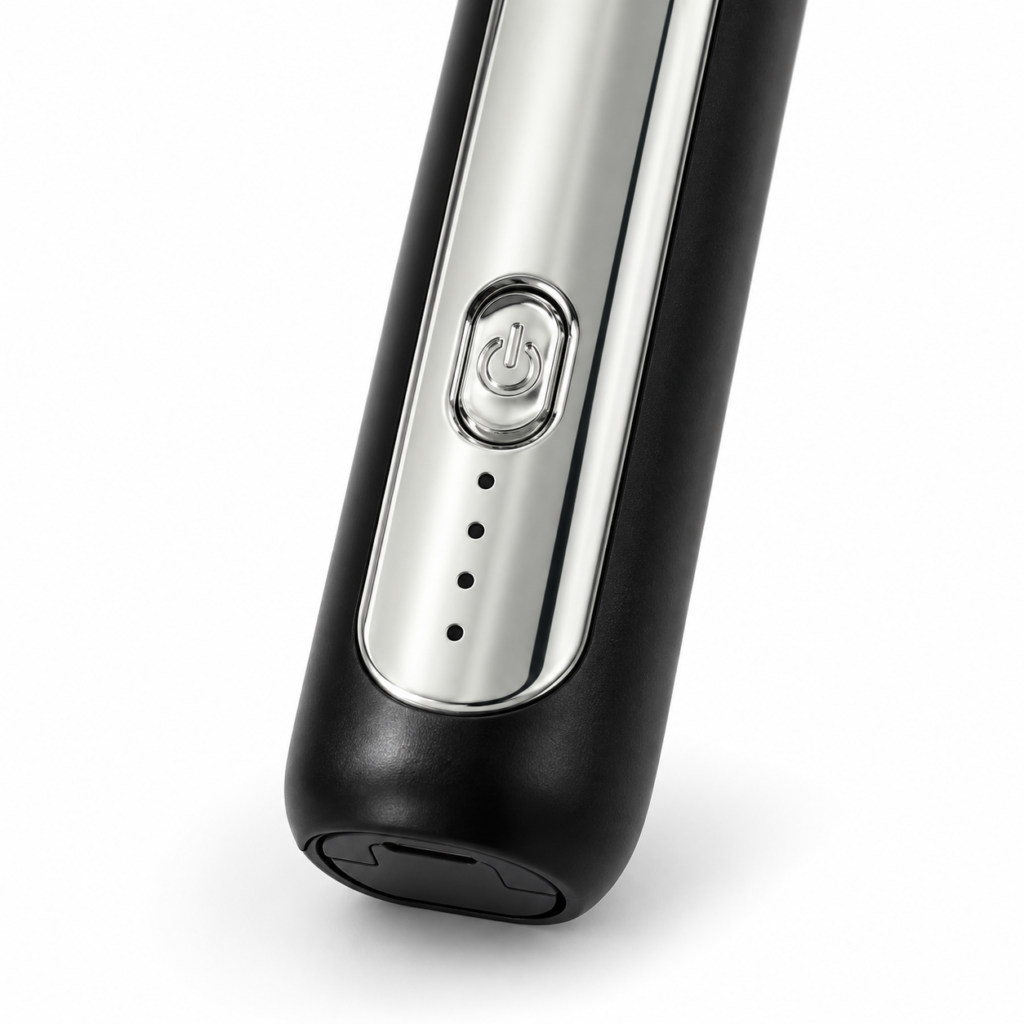
A USB cable in the box tells you that a connection cable is included. It does not, by itself, confirm the correct power supply, charging duration, battery capacity or whether the beater can run while plugged in. Start with the model label and supplied instructions, not the specifications of a similar-looking listing.
The HandyDost Coffee Beater & Milk Frother listing confirms the handle, two attachments and USB cable. It does not publish a verified charging time, battery rating or continuous operating limit. Ask for clarification where a number is important rather than relying on an estimate.
Before the first charge
Locate the charging connection and read any markings on the handle or packaging. Check which power input the instructions require. Use an appropriate, undamaged power supply that matches those instructions. A connector fitting physically is not a substitute for checking the requirements.
Inspect the cable for damaged insulation, a loose connector or obvious contamination. Make sure the device and charging area are dry. Choose a dry, stable location away from the sink, splashing drinks and food-preparation mess. Do not put the charging handle into a closed wet toiletry bag or underneath damp kitchen towels.
Do not decode indicator lights by guesswork
A row of small windows might relate to operation or charging, but its meaning must come from the actual device instructions. Do not assume four windows mean four speeds, four hours of use or a particular battery percentage. Photographs establish appearance, not the electronics behind it.
Check what the manual says happens during charging and when charging is complete. If the expected indication does not appear, switch off and inspect the connection without forcing it. Avoid repeatedly moving the connector sideways to make contact; a connection that only works at an angle needs attention.
If it will not charge or start
- Confirm that the unit is off and dry.
- Check that the approved cable is seated normally, with no visible damage.
- Check the power-source requirements against the supplied instructions.
- Disconnect before examining or changing an attachment.
- Stop using the unit if it shows damage, unusual heat, swelling, smell or unstable electrical behaviour, and contact the seller.
Do not open the handle, improvise a battery replacement or bypass a damaged charging connection. A drink frother is not an appropriate place for a trial-and-error electrical repair.
Store the handle and attachments differently
Keep the electrical handle dry. Wash only the detachable food-contact heads in the way specified by the product instructions, then let them dry before refitting. The separate cleaning guide explains this distinction.
Protect the slender shafts from heavy utensils. A small compartment that keeps the coil and balloon whisk visible is preferable to a crowded drawer where a ladle presses on them. Coil the cable loosely rather than bending it sharply at the connector, and avoid wrapping a damp cable around the motor handle.
What to ask support
Give the product name, the charging indication you see, whether the motor has worked before, and the written markings on the power source. Ask for the correct charging and operating instructions for that exact unit. You do not need to share card details, banking passwords or unrelated personal information to describe a technical symptom.
Finally, do not treat charging as a cure for every flat drink. If the motor runs normally but foam is poor, use the milk and technique troubleshooting sequence. More care and buying advice is available in the HandyDost guide library.